|
Changing a Development Station's Status |
  
|
Changing a Development Station's Status
|
Changing a Development Station's Status |
|
Overview
A development station either has an "Enabled" or a "Disabled" status.
You can alter the status of a development station in its details page.
The sub-module's main page ("Development Station Management" page) allows you to execute a bulk status change - if you select multiple development stations, with the same status, you can apply a different status to all of them, simultaneously.
When a development station is disabled, its license is freed the next time the paired MCL-Designer v4 tries to renew its license.
 If you apply a "disabled" status to a development station, the development station will cease to have an "Active" license. Operationally speaking, even though a development station is "disabled", it will still communicate with the account to check for status changes. It simply will not allow any tasks in MCL-Designer.
Alter a Development Station's Status ("Development Station Management" Page)
Step-by-step
1. Access the "Development Station Management" page (Admin Dashboard > Control Panel > External Systems module > Development Stations sub-module > Development Station Management page).
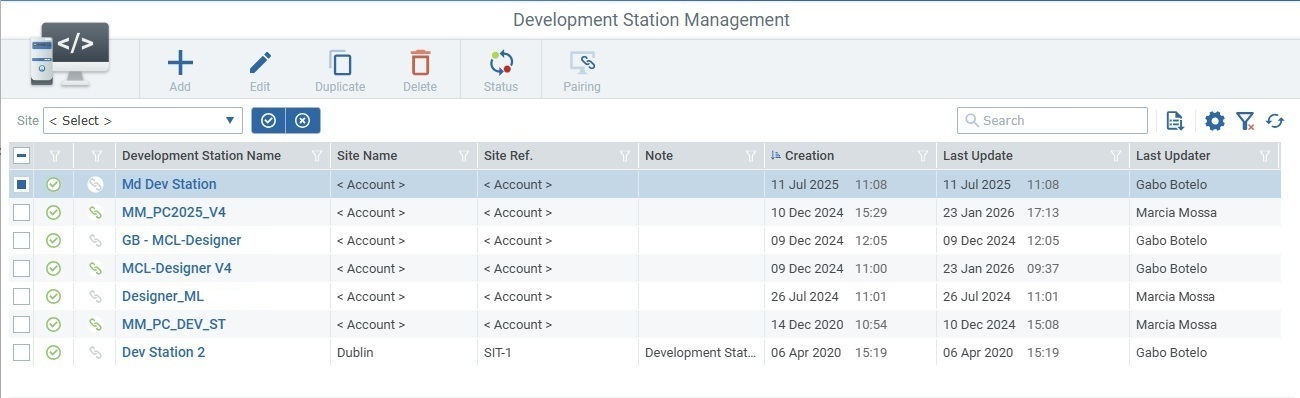
2. Select the development station(s) for the status change and click  .
.
In case of multiple selection, make sure the selected development stations have the same status, otherwise the button will NOT be available.
3. Check the opposite status and confirm the operation in the resulting pop-up window to conclude.
Alter a Development Station's Status ("Development Station Details" Page)
Step-by-step
1. Access the intended development station's details page (Admin Dashboard > Control Panel > External Systems module > Development Stations sub-module > Development Station Management page > < select development station > > Development Station Details page).
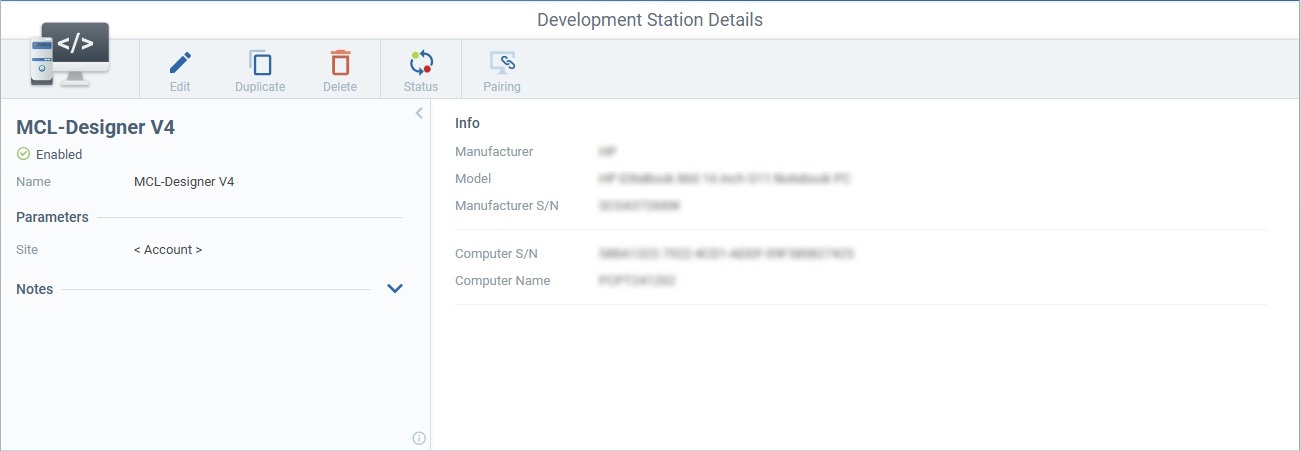
2. Click and, in the ensuing pop-up window, select the opposite status and confirm the operation to conclude.