|
Adding a Development Station |
  
|
Adding a Development Station
|
Adding a Development Station |
|
Overview
MCL-Designer V4 is a software development tool that allows you to create applications to be used on devices. In order to manage these applications at platform level, MCL-Designer V4 must be integrated into MCL-Mobility Platform, via a subscription that must include an MCL-Designer product. (Refer to the MCL-Designer V4 User Guide for MCL-Designer V4 detailed subscription activation steps.)
Once these steps have been followed, you will have the necessary information to add a development station to the account.
Add a Development Station
Step-by-step
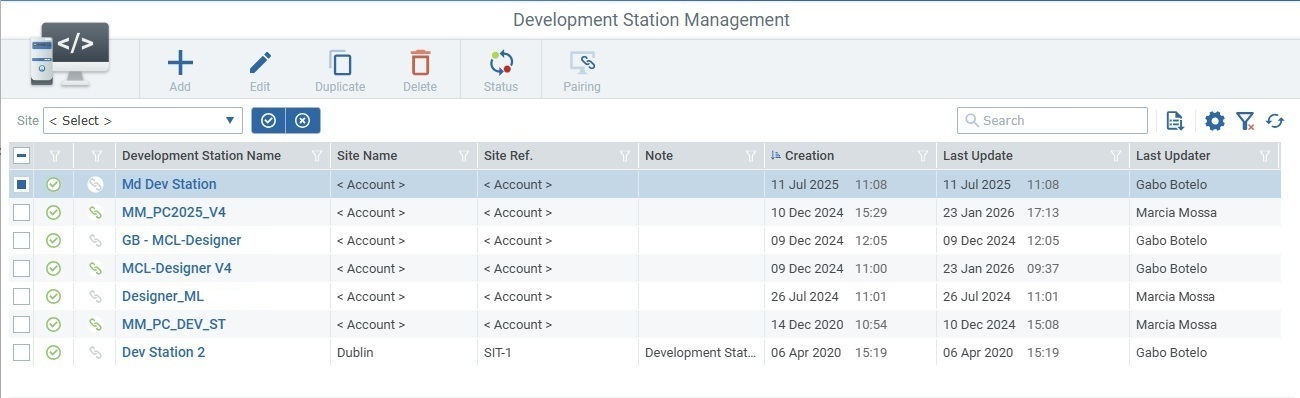
1. Access the "Development Stations Management" page (Admin Dashboard > Control Panel > External Systems module > Development Stations sub-module > Development Station Management page).
2. Click  and fill in the editable fields in the resulting page which opens in edit mode.
The Info section is NOT editable, it will be filled in automatically, after the pairing with an MCL-Designer subscription.
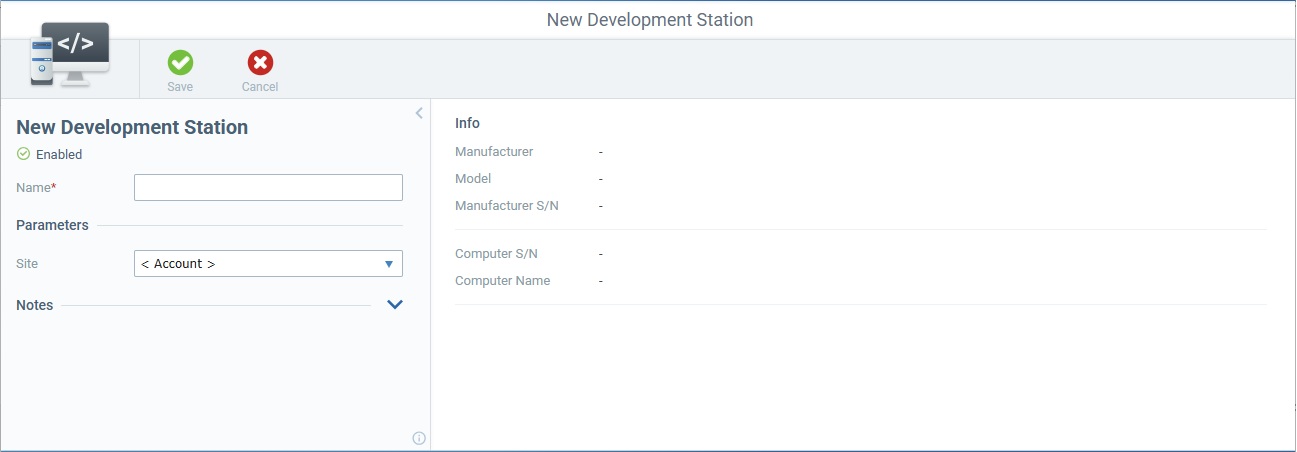
Name |
Define a name for the new development station.
•Use alphabetic/numeric characters (a-z; A-Z; 0-9). •Underscore and/or dash characters are allowed. •Always start the entity's name with an alphabetic character. |
Parameters |
|
Site |
Select the entity that the new development station will be associated to - the account or a specific site within the account. |
Notes |
|
<notes> |
Expand the input field and enter relevant information regarding the development station. This info will be displayed in the "Notes" field/ column of the "Development Stations Management" page. |
3. Once the operation is saved/the development station is created, pair it with an MCL-Designer subscription. See Pair an MCL-Designer Subscription to a Development Station.

